sd2snes+ original
Menu in Portuguese, English, Spanish, German, French, Italian, Russian & Dutch
The whole firmware menu, messages and screens translated to Brazilian Portuguese, Spanish, German, French, Italian, Russian and Dutch. The original English stays available - just pick one.
sd2snes+ original
.cov
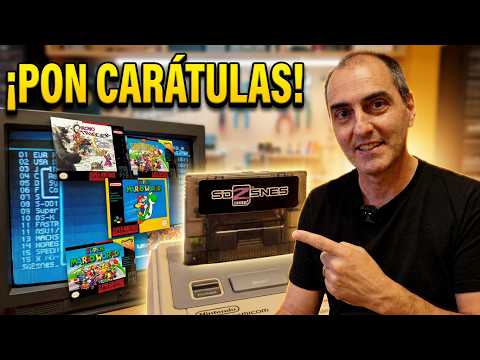
Box-art in the game list
As you browse, the game's official cover shows up on screen. Just drop a .cov file with the same name as the ROM in the same folder. To build the whole collection at once, the Web Manager downloads box art in bulk (and the cheats too).
sd2snes+ original
▶
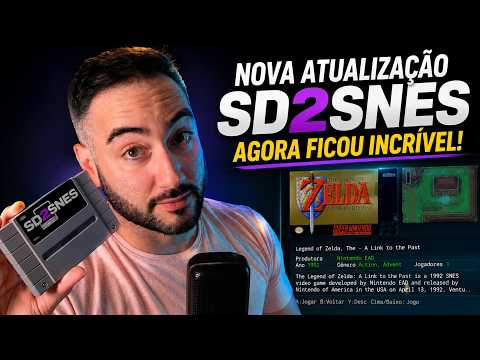
See the game's info card before playing
Before a ROM boots, a full-screen card shows the cover, a screenshot (or an animated clip with sound) and the game's metadata - publisher, developer, year, players, genre and special chip - plus a short description. In the menu you can choose whether the clip plays (with its soundtrack) or just a static snapshot shows. The Web Manager downloads each game's info card automatically.
sd2snes+ original
.spc
Menu music and sounds
Plays an .spc track in the background while you browse - plus 4 navigation sound effects (cursor, confirm, back, error). Build it all in the Sound Creator: pick the .spc, preview it in the browser, swap the effects and download them ready for the card. Since 2.16 the .pcm files - the MSU-1 soundtracks - show up in the browser too: press A on one and a small player opens, with a progress bar, the elapsed and total time, and A to pause. Also new in 2.16: turn on random music and the menu draws a different track out of your music folder every time it loads - on boot and on every return from a game. In 2.16.2 an MSU-1 game folder got tidy: the tracks go to the end of the list, in order, the folder shows the game's cover and, with a single ROM inside, pressing A on the folder opens the game straight away.
sd2snes+ original
L+R
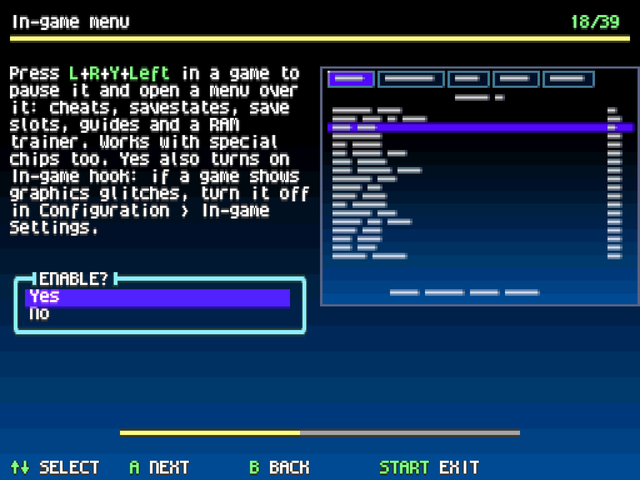
The in-game cheat menu became the Game Menu
Up to 2.14, the L + R + Y + ← combo paused the game and brought up the cheat list, nothing else. The combo is still the same, but it now opens a 5-tab menu: CHEATS, SAVESTATES, SAVES, GUIDES and TRAINER. Press B and you're back in the game exactly where you left off. On by default; turn it off in Configuration › In-game Settings › In-game menu. And in 2.16 the combo is no longer fixed: if it gets in the way in some game, pick another one on the IngameButtonsMenu line of the card's config.yml - any combination of 3 buttons or more works.
sd2snes+ improved
STATE
Save states on special-chip games
Save states on games with a special chip never worked on the sd2snes - until now. This release makes them work on the DSP1/1b/2/3/4 (e.g. Super Mario Kart, Pilotwings), the Super FX (Star Fox, Yoshi's Island), the OBC1 (Metal Combat), the S-DD1 (Star Ocean), the CX4 (Mega Man X2, Mega Man X3) and the SA-1 (Super Mario RPG, FXPak Pro (Mk.III) only). Save with Start + R and come back with Start + L, picking the slot in the SAVESTATES tab.
sd2snes+ original
.man
The game manual on your own TV
Stuck on a level with the manual sitting in a browser tab? Drop the PDF, converted to .man, next to the game's files and read it on the TV, with the game frozen: open the in-game menu and go to the GUIDES tab. The D-pad pans, A zooms 2x and L/R turns the page - and it remembers where you stopped. Each game can carry several guides (manual, walkthrough, map, insert).
sd2snes+ original
.thm
Switch the menu theme on the console
From firmware 2.9 on, pick the menu theme right on the SNES - logo, colours, background and selection bar. Drop .thm files in any folder on the card and choose one in the browser. Grab ready-made themes in the gallery or build your own in the web editor. In 2.15 the sd2snes+ theme became the factory default, with Restore classic theme in the menu to go back to the old look whenever you want. In 2.16 the text outline and the anti-aliasing stopped being a theme-only thing: they are your own options under Browser Options, and they change the menu font on the spot, without reloading anything.
.yml
Cheat manager in the menu
The sd2snes already applies cheats per game - what sd2snes+ adds is the in-menu manager: from the context menu (Y) you turn each code on or off on the console, without editing the YAML on a PC. The files live in /sd2snes/cheats; grab ready-made cheats at gamehacking.org, exporting as FXPak Pro 1.7 (.yml), or download them automatically with the Web Manager. Since 2.16.4 you can also add, edit and delete cheats with an on-screen keyboard, in the menu and in the in-game menu.
sd2snes+ original
BS-X
BS-X carts with a Memory Pack slot
Added support for the Satellaview 8M Memory Pack slot for the Japanese games that use it - drop the pack dump at /sd2snes/saves/<BB>/<rom>.mpk (BB = the first two letters of the ROM's name, e.g. saves/DE/) and the game reads the Memory Pack contents (saved sound novels, downloaded races…). On top of that, Derby Stallion 96 and Sound Novel Tsukuru now work. On the SD2SNES (Mk.II), the Memory Pack slot and these two games use the fpga_basex.bit from the firmware package (without it, the missing-file warning shows up).
sd2snes+ improved
IPS/BPS
IPS/BPS patch at boot
The heart of rom-hacking: apply fan translations, hacks and fixes without altering the ROM. Drop the .ips/.bps patch in the ROM's folder, named after the game plus a suffix of your own (Zelda - PT-BR.ips for Zelda.sfc); at launch the firmware lists the patches by their suffix and applies it in memory, leaving the original ROM untouched. Pressing Y on a patch opens a context menu with the header mode and Create patched ROM, which writes a ready-patched copy next to the original - from 2.16 on, that works on both boards.
sd2snes+ original
SPC
7110
SPC7110 games finally run
The SPC7110 is the coprocessor Hudson put in a handful of Japanese carts - Tengai Makyou Zero, Momotarou Dentetsu Happy and Super Power League 4. It decompresses graphics in hardware, does the game's arithmetic, walks a second, data-only ROM and, on Tengai Makyou Zero, carries a battery-backed real-time clock as well. The official firmware only reports the chip as unsupported; here the programmable chip of the sd2snes becomes an SPC7110 - and on both boards, FXPak Pro (Mk.III) and SD2SNES (Mk.II). Battery saves behave like in any other game, and the Tengai calendar runs on the console's time: on both boards a .rtc file next to the save keeps what the cartridge battery used to keep - including a clock the game itself stopped - so it survives a power cycle. On Mk.II the virtual battery needs the fpga_spc7110.bit from the same firmware package; with an older core the firmware spots it at load time and falls back to the console clock, without breaking anything. Making room for it is why the Mk.II core dropped the MSU-1 audio DAC - no SPC7110 cartridge uses MSU-1. No BIOS is involved, just the fpga_spc7110.bi3 (or .bit on Mk.II) that already ships in the package. The in-game menu and the cheat overlay now work here like on the other chips; save states are the one thing still missing - the decompressor's internal state cannot be captured yet. And the English fan translation of Tengai Makyou Zero now runs too: its 7 MB image adds a third chip - an expansion ROM the board maps at banks $40-4f - and the core maps it the same way.
sd2snes+ original
FX3
The 2025 DOOM runs on the flashcart
Up front: it does not run at the real cartridge's speed - the sd2snes programmable chip cannot match the 2025 chip. Star Fox plays at full speed, but DOOM sits at around 11 fps against the cartridge's 20, which lands on the feel of the 1995 SNES DOOM.
The Super FX 3 is the chip in the new DOOM cartridge (Limited Run Games, 2025, designed by Randal Linden) and in the free patches that soup up Star Fox and Star Fox 2 - no flashcart ran this format until now. All three open and play, with Star Fox 2's battery save working, and it runs on both boards. The in-game menu, cheats and save states stay off on these cartridges.
sd2snes+ original
SUFAMI
TURBO
Bandai's minicarts, with both slots
The Sufami Turbo is Bandai's passthrough cartridge with two minicart slots. Drop the .st dumps on the card, add the base cartridge BIOS as /sd2snes/stbios.bin, and they boot - with a dialog to pick the Slot B companion cart right before the game starts, and the pair is remembered for next time. Both minicarts keep their own save, because that is what the hardware does: each cart carries its own SRAM chip, and the linkable titles (the SD Gundam Generation series and friends) exist precisely to write into the cart in the other slot. Each save is named after its own cart, so a companion cart carries its data into whatever pair you use it in next. The programmable chip got a second set of ROM and SaveRAM masks, so the two slots can never overlap, whatever sizes they declare. Save states do not work on these games - the in-game menu and cheats do. It runs on both boards; on the SD2SNES (Mk.II) it uses the fpga_basex.bit from the firmware package (without it, the missing-file warning shows up).
sd2snes+ original
COMP
CART
Nintendo's tournament carts boot off the card
In the 90s Nintendo took two cartridges on the road that were never sold: Campus Challenge '92 (Super Mario World, F-Zero, Pilotwings) and PowerFest '94 (Super Mario Bros.: The Lost Levels, Super Mario Kart, Ken Griffey Jr.). Each one is a board carrying a menu chip, three games, a hardware round timer and a score screen at the end - you play the three segments until the time runs out. Here they boot as plain .sfc dumps, and the programmable chip of the sd2snes becomes the event board: the latch that picks which of the three chips answers, the menu chip's mirror, the status register and the countdown running inside the FPGA. When the time is up the end-of-round bit latches and the game jumps to the score screen - and it survives a reset, just like the real cartridge, so resetting mid-round lands on the score screen instead of buying extra time. All five circulating dumps are recognized - originals, repros and the score hacks: the menu chip carries no valid SNES header (on one of the hacks a donor game's header sits where the header would be), so the firmware fingerprints the carts by the menu program's own boot code, which is byte-identical across every dump of each board. The round length is the physical DIP switch bank of the original board: set it under Chip Options → Competition Cart timer (min), 3 to 18 minutes (6 was the event setting). It needs dsp1b.bin on the card - both carts carry a DSP-1 (Pilotwings / Super Mario Kart). It runs on both boards, inside the DSP core that already ships in the package (fpga_dsp.bi3 on Mk.III, fpga_dsp.bit on Mk.II) - copy the whole package to the card, not just the firmware. The in-game menu, cheats and save states work as on any DSP game; the timer is the one thing a save state does not rewind, because the FPGA is what counts it.
SETA
ST011
Seta ST011: Morita Shougi
Hayazashi Nidan Morita Shougi uses the ST011 chip, which now has a core of its own: the game boots and the computer plays against you. Copy the chip firmware to /sd2snes/st011.rom. If the file is missing, the menu names it. On both boards. No savestates or in-game menu on this core.
SETA
ST018
Seta ST018: a 32-bit ARM
Hayazashi Nidan Morita Shougi 2 carries a 32-bit ARM coprocessor. The core includes that CPU, written from scratch. Copy the chip firmware to /sd2snes/st018.rom. On both boards. No savestates or in-game menu on this core.
BOOT
LEGS
Protected bootlegs, from the untouched dump
Unlicensed games with a copy-protection chip run from the original file, no cracked version needed. Aladdin 2000, Tekken 2, the Pokémon bootlegs, King of Fighters '98 and 2000, Soul Blade, Street Fighter EX Plus Alpha and more. The game is recognized by the file's checksum. On both boards, without savestates or the in-game menu.
20
IN 1
Super 20 in 1
The Korean Super 20 in 1 multicart opens its own menu and switches games like the real cartridge. They are NES games ported to the SNES, such as Spartan X and TwinBee. Loads as a plain dump, on both boards. No savestates or in-game menu.
GAMARS
PUZZLE
Gamars Puzzle
The unlicensed Taiwanese puzzle game Gamars Puzzle has a memory map of its own and now boots as a plain dump. On both boards; on the SD2SNES (Mk.II) it uses the fpga_basex.bit from the firmware package.
.sfrom
SNES Classic .sfrom files
.sfrom, the ROM format of the SNES Classic, shows up in the browser and boots like any game: saves, cheats and patches work the same. The Web Manager and the GamesDB identify the game by the ROM stored inside the file, so cover and game info are the same as for the .sfc.
sd2snes+ original
experimental
SMS
NES
A26
Other consoles
v2.15+ · FXPak Pro (Mk.III)
Master System, NES and Atari 2600 on your SNES (very experimental)
There is a programmable chip inside the sd2snes, and it has learned to become other consoles: a Master System, a NES and - new in 2.16 - an Atari 2600. Put a .sms, a .nes or an .a26 on the card and it shows up in the list like any other game. All three have sound - the NES and the Master System got theirs in 2.16, and the Master System's PSG plays through the cartridge's own audio channel - and all three take an in-game pad combo to reset the game without touching the console, plus a service combo that repaints the palette if it ever comes out wrong. This is a preview, not a finished feature: compatibility is low and plenty of games freeze or come up with picture glitches (the compatibility list shows what has been tested). On the NES a battery-save game runs but does not save, and the Master System does not write to the cartridge. The Atari 2600 runs 2K and 4K carts and the F8, F6 and F4 bankswitching schemes (including the Superchip variants), NTSC only: E0, 3F, FE, FA, DPC, Supercharger, paddles and keypads are not in yet. Both joysticks come out on the two SNES pads - holding Start presses the console's RESET switch and holding Select the SELECT one, X flips between colour and black-and-white and L/R are the difficulty switches - and Chip Options lets you pick the picture width between 160 (1:1), the native one with bars on the sides, and 256 (wide), which fills the screen. It only works on the FXPak Pro (Mk.III) - they do not fit in the smaller chip of the SD2SNES (Mk.II) - if you are not sure which one you have, the FAQ shows how to tell. It is here for people who want to tinker and help test.
sd2snes+ original
experimental
GBC
Another console
v2.17+ · FXPak Pro (Mk.III)
Game Boy Color, in colour, on your SNES (experimental)
Drop a .gbc on the card and it runs on a Game Boy Color core instead of the Super Game Boy one - in colour, at full speed, including the double-speed mode. .gb files whose header asks for the Color console go there too; the rest keep using the Super Game Boy. In Configuration › SGB Settings, Game Boy Color mode picks between Auto, Prefer SGB (only the Color-only games leave the Super Game Boy, the rest keep the SGB border and colours) and Prefer GBC, and Game Boy Color sync between Genlock (the default: the Game Boy frame is locked to the SNES one) and Exact (the real Game Boy clock, skipping a frame now and then). Battery saves and the cartridge clock work (.srm and .gtc, next to the Super Game Boy saves), and SameBoy's open-source boot ROM comes in the package - no BIOS needed. This is a preview, not a finished feature: screens that change the palette on every line (the “hi-colour” intros of a good part of the library) are now drawn as a full picture in the right colours (with Genlock sync, the default), but animated ones can lose smoothness or show bands while they refresh; with Game Boy Color stretch on, these screens fill 256×192. There are no savestates, cheats or in-game menu on this core yet, 8 MB cartridges do not run, the sound has not been measured against a reference, some games stay on a blank screen, and it has not been tried on the first Super Famicom consoles (SHVC-CPU-01 board), whose CPU can hang with what this core does every frame. It only works on the FXPak Pro (Mk.III) - on the SD2SNES (Mk.II) the core does not fit the chip, and .gb and .gbc keep opening on the Super Game Boy: only games that also run on the original Game Boy work, and without the Game Boy Color's colours. It is here for those who want to play around and help test.
DEL
Delete a file and its savegame
From the browser's context menu (Y), delete the selected file or just the ROM's save (.srm) - right on the console, without pulling the card out or turning on a PC. In 2.16.2, deleting a ROM also removes its box art, info card, guides, cheats and patch settings - saves and savestates stay. And with Show sd2snes folder on under Browser Settings, the card's own files (saves, savestates, covers, info cards) are listed and can be deleted one at a time; the firmware and the menu show up, but with no Delete entry.
RESET
Reset brings you back where you were
A short reset can drop you back in the menu already inside the folder of your last game - or right on the ROM you were playing. Pick it in In-game Settings → Reset to menu: Off, On, Folder, ROM - or Duration, new in 2.16 and the only mode that leaves the console's own reset button behaving the way you expect: a short press restarts the game, a long one (hold it, or press twice quickly) brings you back to the menu, in the game's folder with the ROM already selected.
sd2snes+ original
ⓘ
A description for every menu option
From firmware 2.11 on, every settings option shows a line explaining what it does, right on screen - in Portuguese, English, Spanish, German, French, Italian, Russian and Dutch. It's easy to understand each setting without a manual.
sd2snes+ original
▤
File-type icons in the list
Every row of the file browser starts with an icon for what it is: folder, SNES, NES, Master System, Game Boy, Game Boy Color or Atari 2600 game, .spc music, .pcm track, theme or plain file. A folder that opens as an MSU-1 game shows the SNES controller instead of the folder, so you can tell at a glance which folders are games. Y on that folder shows its ROM's context menu (cheats, favorites, delete…). And in the key hints of the footer, each button name is drawn in green, in the menu and in the in-game menu.
sd2snes+ original
BIOS
Warns when a chip's BIOS is missing
Some games use special chips (DSP in Super Mario Kart, Super FX in Star Fox, SA-1, S-DD1, OBC1, CX4, Super Game Boy, BS-X…) that need support files on the card. From firmware 2.11 on, if one is missing, instead of freezing or booting a broken game, the menu shows which file is missing and returns to the menu without resetting the console.
sd2snes+ original
TOUR
A tour of what's new, on the first boot
The first boot after installing or updating asks whether you want a tour: one card per feature, with a picture of what it changes on screen and, where the feature is an option, its setting right there - A picks an answer, and everything is saved when the tour ends. It opens with a short welcome clip, and each release adds its own cards at the end: after an update the tour comes back once, showing only what is new. See it again any time under Configuration › Tour of the new features.
sd2snes+ original
MEMORY
TEST
Is the cartridge faulty, or is it the firmware?
When a game freezes for no clear reason the question is always the same: is the cartridge broken, or is it the firmware? Main menu → Memory test lets the console answer that on its own - no serial cable, and no flashing the separate diagnostic image. A runs the test (~30 s): first it walks the data and address lines of the PSRAM and of the 4 Mbit SRAM looking for open, stuck or shorted lines, and names the chip by its silkscreen - U501: check data line D3; then, if the wiring is sound, it writes and verifies every cell and reports the first bad address if it finds one. The screen goes dark and the console resets while it runs - that is expected, the FPGA is loaded with the test core meanwhile - and the menu comes back with the result on screen.
sd2snes+ original
RAM
TRAINER
Nobody published the cheat you wanted? Find it yourself.
The TRAINER tab of the in-game menu searches the console's memory while the game sits frozen. Type the number you can see on screen - lives, coins, HP - and it lists every address holding that value. Go back to the game, lose a life, reopen the menu and filter again: the list shrinks until only the right address is left. When the number is not on screen, start an Unknown search and filter by changed, unchanged, increased or decreased - that is how you hunt an invisible value, like a boss's hidden counter. Works on 8-bit and 16-bit values.
Once you pick an address you can see what it holds right now, write a value once, or freeze it so the game cannot change it back. Freezing pins the address without creating a cheat: up to 4 frozen values at once, kept out of the CHEATS tab and the .yml; they obey the cheats' master switch and are gone when you load another game. To keep the address for good, SAVE CHEAT writes it to the list as a cheat.









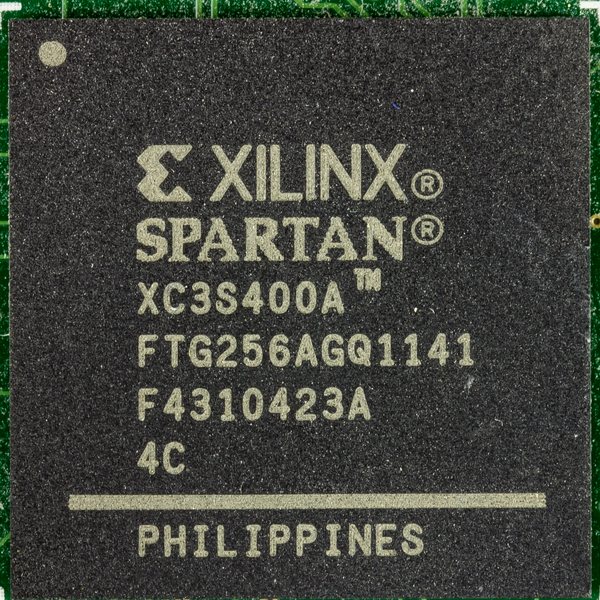
 green ↔ red = no SD card. Insert a card and power-cycle.
 green ↔ yellow =